
|
Don't Have "Players on Team" Option
Hello happy folks! I hope your day is going super mega well! I just bought and d/ld FOF9. I was trying to set up a dynasty and then saw that I only had two draft options 53 man draft and preference draft. According to Solecismic there should be third one here (initial_player_allocation [Front Office Football Nine Documentation]) to keep players on team. I tried closing and reopening it, nothing.
|
Also I tried taking Steam screen shots and it wouldn't take. I double checked and screenies are working for other Steam games like Blockbuster. I tried hitting F12 around 7 times as well as every other F button.
|
Hi Abe, so you don't see the top option? Are you trying to use a different player file? I'll confess I have barely done anything outside of creating logos and changing Washington to Rapid City lol
 |
Quote:
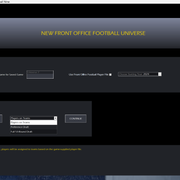
Hello! Thanks for the fast response! I just dled the game today after the update. I have made no changes to anything! i a choosing: New Universe, Folder for save game "Abe" 2024 Player Starting File not checking use your own file choosing league structure of 17 games, 32 teams Let me try a league structure of 18 games, 32 teams, see if that works: Nope, trying 16 games and nope either. |
Quote:
Also, i cannot take screenies with F12 and that worked for other Steam games. Did you use F12 or something else? |
Are you able to take a screenshot like this?
1. ALT + Print Screen button 2. Paste into MS Paint 3. Save file |
Quote:
Nope. I tried Windows+S+Shift for Windows 10 and i can take snips of non-Steam stuff, I could use Snipping Tool but i won't snip a box like that. I will reboot here momentarily and see if that works. See you in around 30 minutes or so. |
Still not able to choose "Players on team". Still not able to F12 a screen shot either. Tried it a few times and then all other Fs
|
I tried recording it on Windows but it's not showing the drop down options.
|
It's working now, I uninstalled and reinstalled it! Now the only issue is taking screenshots for a dynasty.
|
Awesome. I'm not sure why my old school manual method wouldn't work. What version of Windows are you using? Is Snipping Tool available?
|
Quote:
Yes, Windows 10! |
Oh, I realize that is what you were trying before with the windows key+shift+s. So the keyboard shortcut doesn't work, but does it work manually? If you open the app up and use the GUI instead of the shortcut?
|
Quote:
Without a screenshot it is tough to tell what is wrong but it does seem like that to the left of the box that states the year you are starting in, you need to make sure that little check box is checked to start with the included player file. Do you not have that option? If you do, is the box blank or checked? If blank you need to make sure you check the box. |
| All times are GMT -5. The time now is 09:07 AM. |
Powered by vBulletin Version 3.6.0
Copyright ©2000 - 2026, Jelsoft Enterprises Ltd.